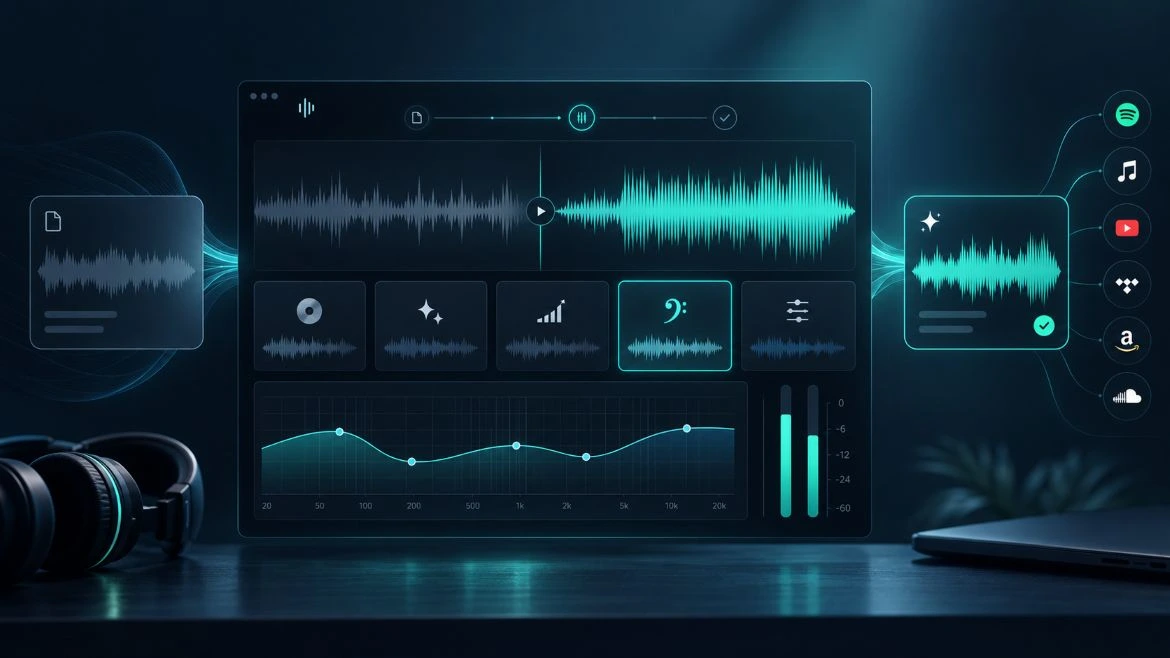
Online Mastering with Dibsteur: From WAV File to Final Master
Dibsteur mastering is integrated directly into the track preparation process. The artist starts by adding their WAV file to their library. This is the finished mix, meaning the version exported from their software or production session before the mastering stage.
From the track page, the Mastering option then provides access to the different available versions.
There is therefore no need to download the file, send it to another service, then re-import it before distribution. The selected master remains directly associated with the track, which can then be sent to the platforms.
Mixing and Mastering: Two Different Stages
Mixing and mastering take place at two different stages of production. During mixing, the different tracks in the song are worked on separately: vocals, drums, bass, instruments, effects, or other production elements. The goal is to balance everything and achieve a coherent final mix.
Mastering then works on this finished mix. It is not used to redo the vocals or individually modify the drums; it works on the track as a whole to produce the final version used for distribution.
It is therefore the mixed file that must be uploaded to the Dibsteur mastering tool.
Four Presets for Mastering Your Music
Dibsteur currently offers four mastering presets.
CD Quality aims for an overall balanced sound.
More Highs emphasizes the track’s high frequencies.
+ 5dB provides a version with a higher level.
Bass Boost brings the low frequencies further forward.
A preset should not be chosen based only on its name. The result depends on the original track, the mix, and the desired outcome.
That is precisely why Dibsteur lets you listen to several versions before choosing the final master.
Free Preview of Your Online Mastering
Before starting the full process, the artist can generate a free 30-second preview. This preview is created from part of the track and can be generated for as many presets as needed.
The original also remains available to listen to, allowing the starting mix to be compared directly with the different mastered versions.
This step therefore makes it possible to test several results without having to immediately approve a full master. For someone looking for free online mastering, it is important to distinguish between the two: previews are free, while generating the full master is part of the service included in the Dibsteur subscription.
Automatic Online Mastering
The way the tool works avoids having to manually adjust a long list of technical settings. The artist first chooses the preset whose result best matches their track, then starts the full master after confirmation.
Processing then continues in the background, and progress can be monitored from the interface. Once complete, the chosen preset appears as selected, and the player can switch to the mastered version.
This approach makes it easy to master a track, while still leaving the final choice between several versions to the artist.
What Audio Format Should You Use for Mastering?
Since mastering takes place after mixing, you need to start with a file corresponding to the track’s final mix. In Dibsteur, the artist uploads a WAV file to their library before opening the mastering options.
The goal is not to upload several separate tracks, but the already mixed song as a whole.
Once the master has been generated and selected, this new version can become the file used for distributing the track.
Audio Mastering: Improve the Final Sound of Your Music
Audio mastering works on the track as a whole and, depending on the selected processing, can change the perception of the overall level, the balance of the frequency spectrum, or the presence of certain frequencies.
The goal is not necessarily simply to make the track “louder”; a good master should above all remain consistent with the mix and the style of the track.
That is why a preset that works well on one track will not necessarily be the best choice for another.
Comparing the different previews makes it possible to make this decision by listening rather than automatically choosing the most powerful result.
Professional Mastering or Automatic Online Mastering
Mastering performed by an engineer and automatic online mastering do not address exactly the same need. An engineer can work on the track manually, adapt their choices to specific requests, and discuss the desired sound with the artist. This service is generally billed separately for each track or project.
An automatic tool prioritizes simplicity, speed, and lower cost. It makes it possible to obtain several versions without arranging a separate mastering service for each release.
For an artist looking for a solution integrated into their distribution process, the main benefit of the Dibsteur tool is being able to move from the final mix to the master and then to distribution within the same environment. Since mastering is included in the Sérénité and Label subscriptions, it also avoids adding the cost of an external mastering service to each new release.
Master Your Music Before Spotify, Apple Music, and Deezer
The selected master becomes the final version of the track that can be used for distribution, so it is preferable to complete this step before sending the track to the platforms.
With Dibsteur, the same project can then be distributed across the different music distribution platforms selected by the artist.
Mastering is therefore not an independent step added after release: it is part of preparing the file that will be sent to streaming services.
Mastering and ISRC Code: Do You Need to Change the Track Identifier?
When a track already has an ISRC code, a new master does not automatically mean that this identifier needs to be changed.
If the remaster remains fundamentally the same recording, the same ISRC can generally be retained. However, if the processing makes a significant creative change to the track or results in a genuinely different version, a new ISRC may be necessary.
In other words, simply improving the sound of a track is not necessarily enough to create a new recording for ISRC purposes.
From Mastering to Music Distribution with Dibsteur
The main benefit of the tool is that it does not operate as a service isolated from the rest of the project. The track is added to the library, mastering is carried out from its page, the result is selected, and this version can then be used directly for distribution.
Dibsteur’s music distribution plans therefore combine mastering with the other tools needed to manage releases. They also help prepare the release of a single, EP, or album.
For an independent artist, the Sérénité plan makes it possible to prepare and distribute their own projects. For organizations managing several artists, the plan dedicated to labels makes it possible to centralize multiple catalogs.