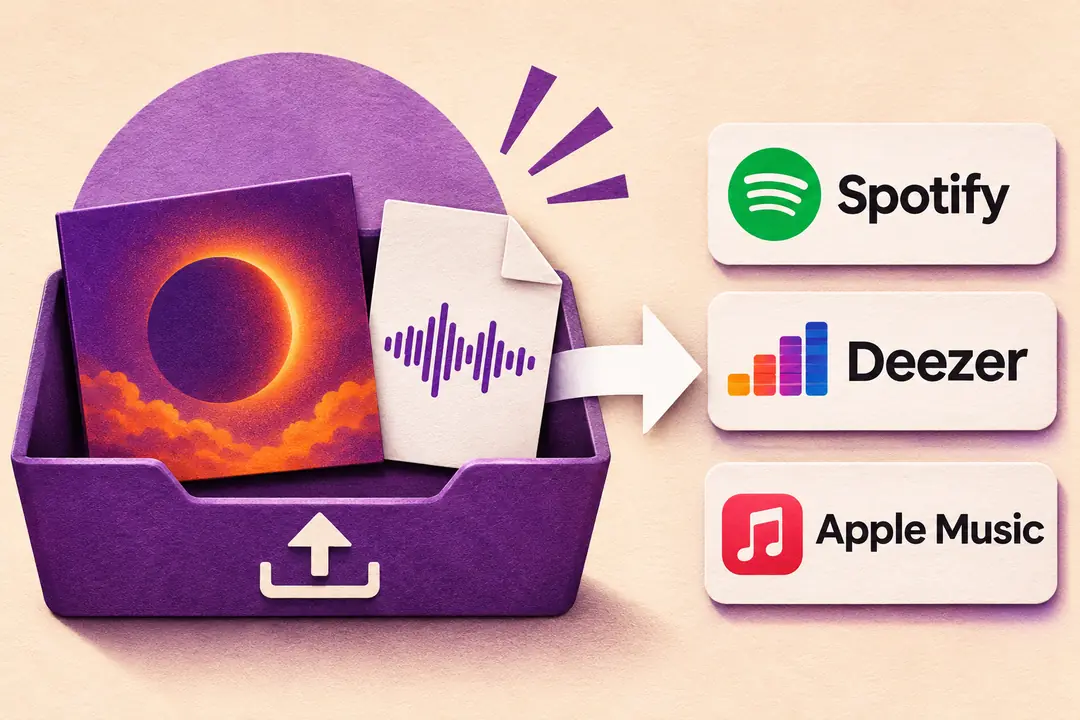
How do you get your track on Spotify, Deezer, and Apple Music?
To get your music on streaming platforms as an independent artist, use a music distributor that delivers your track to streaming services. Spotify, for example, receives tracks through distributors and labels, so you can release your first single by choosing your own distributor without signing with a label.
If you want to release the same track on Spotify, Deezer, and Apple Music, create a single release with your distributor. Upload your audio file, cover art, and track information, then select all three platforms so your distributor sends the same release to each one.
You can start with just one account, the one you open with your distributor. If it’s your first release, Spotify automatically creates your artist page when it receives your track. You can then request access to Spotify for Artists to manage that page and view your stats. Our guide explains how to upload music to Spotify and walks you through the steps for that platform.
Can you get your music on streaming platforms for free?
Yes, some plans let you release your first track on streaming platforms without paying anything when you submit it, but the distributor may take a commission from your streaming revenue. For example, if the distributor receives €100 in net revenue for your track and takes 15%, you get €85.
Other distributors charge per release, which can work if you plan to put out just one single. A subscription may be a better fit if you plan to release several tracks in a year. When comparing plans, check whether they include Spotify, Deezer, and Apple Music, what share of the revenue you receive, and what happens to your track if you stop paying.
At Dibsteur, the Sérénité plan costs €39.99 per year, lets you release as many tracks as you want, and lets you keep 100% of your net royalties.
What do you need to prepare to release your first single?
If you’re just starting out, create your Dibsteur artist account so you can distribute your music on Spotify, Deezer, and Apple Music. After you sign up, log in to your account, open the Distribution section, and create a new project, selecting Single as the format if you’re releasing just one track.
Before filling out the project, have two files handy. Find the final version of your track on your computer and listen to it all the way through again to make sure it’s the right one. Also prepare a sharp, square image, ideally 3,000 × 3,000 pixels, to use as your cover art on the platforms. You can create your cover art in Canva and save it to your computer.
Then go back to your Dibsteur project to add the audio file and cover art. Enter the track title, the artist name that should appear on the platforms, and the credits for the people who worked on it, such as the lyricist, composer, or a featured artist. If you bought a beat, used a sample from another track, or recorded a cover, check the permissions before submitting the release.
In your Dibsteur project, the form asks whether the track has already been released. If you’re releasing it for the first time, indicate that it’s a first release and Dibsteur can assign your recording its ISRC code, the number the platforms use to identify it.
When should you release a single, and how much time should you allow?
For your first single, choose a date that gives you time to prepare your announcement and share the listening link on release day. If you’re planning a music video or an announcement with the people who worked on the track, agree on the date together before announcing it.
With the Dibsteur Sérénité plan, the listed release lead time is 7 days, but if you have a specific date in mind, submit your project earlier so there’s time to replace the cover art or fix a credit if needed. In your Dibsteur account, open the project in the Distribution section and enter the date you want the public to be able to listen to the track.
To prepare to promote your music before it goes live, pick the clip you want people to hear, write your message, and decide when to post it. You can announce the date with the cover art a few days ahead, then share the listening link as soon as the track is available.
How do you send your track to platforms with Dibsteur?
In your Dibsteur account, open the Distribution section, then select your single project. Check that you’ve chosen the platforms where you want to release your track, such as Spotify, Deezer, or Apple Music, and that the date you entered is when you want it to be available to the public. Before submitting your single, follow the distribution steps in Dibsteur to make sure the title, artist name, credits, and release date are correct.
Once you’ve submitted the project, go back to the Distribution section to check its status. If Dibsteur asks for a correction, open the project, change the item they flagged, then resubmit it so it can be approved before it’s sent to the platforms.
What should you do when your first single goes live?
On release day, search for your single title and artist name on Spotify, Deezer, and Apple Music, then play the track to make sure it’s available. If the track appears on the profile of another artist with the same name, send Dibsteur the link to the track and the link to the profile where it appears to request a correction.
Once the track is live, you can request access to your Spotify for Artists profile to add a photo and bio to your artist page and start tracking your streams. To announce the release, you can share a Dibsteur SmartLink, which puts the listening links on one page and lets people choose their platform.
If you’re looking for wording to announce your single release, you can start with this message and add a sentence about the story behind the track.
My first single, [title], is out! I wrote it after [a sentence about what inspired the track]. You can listen here [link].